I can't download the assets specifically in the Falling Leaves Collection
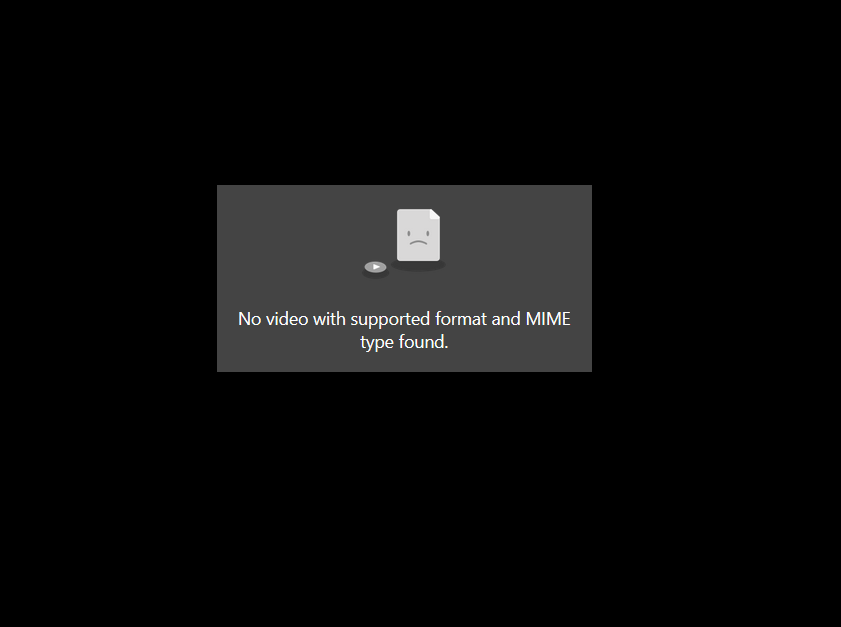
Hi, I tried a few days ago to download the files in the Falling Leaves collection but when I click them I just get this error page and nothing downloads, like the browser is trying to play the file rather than download it. I left it and have just tried again with my first of the 30 daily downloads. When this happens I get the usual popup, saying I’ve used 1/30 downloads and then it jumps to this screen. I tested this by downloading an asset from another collection and it indeed said that was my 2/30, but nothing downloaded or will download from the Falling Leaves collection.
Kind Regards
Dan
Comments12
Zachary VanHoy
Dec 17, 2025
Hey Dan, will you let me know the specific clip and download option (file type/resolution) you are trying to download? I’ll take a look at this so we can figure out what is happening.
ArtManDan
Dec 17, 2025
Hi Zachary, it seems to be all the ProRes files in that collection, 2K and 4K. I can download the OpenEXR files. Really weird, I’ve not had this issue with any other collection.
Thanks
Zachary VanHoy
Dec 17, 2025
Thanks for letting me know. I believe this is now fixed. I was able to successfully start downloads on my end. Please try again and let me know if you have any issues.
ArtManDan
Dec 17, 2025
Yep, fixed. They download now. Thanks for the help. 🙂
ArtManDan
May 19
Hi again Zachary,
I’m having the same issue with a few other files.
Air Particles - Air Particles Wide 7 & 8 - ProRes 4K
Air Particles - Air Particles Windy 1, 3, 4 & 5 - ProRes 4K
Glitch Overlays Vol.2 - Seemingly all ProRes files
Ground Fire Vol.1 - 4K ProRes files
Spreading Ink Mattes - Unsure how many but I haven’t yet got any
Kind regards,
Dan
Zachary VanHoy
May 19
Hey Dan,
I’ve just tested these on my end and I’m able to download them all. Are you seeing any errors when you try?
ArtManDan
May 20
Hi Zachary,
It’s just the same as before. I click the download button, then the webpage changes to a black page with that popup message in the screenshot up top. “No video with the supported format and MIME type found.” Like it’s trying to play the file rather than download it.
I’m wondering if it could be Firefox but I’ve had no issue with all the other asset files, barring the first few this happened with 5 months back. But whatever you did back then got them working for me.
Edit: I missed out 1 file in the Spinning Blades pack. 4 Blade Helicopter Side 4K ProRes, does the same. All others downloaded fine.
Thanks,
Dan
Zachary VanHoy
May 20
Thanks for the extra info. I find it odd that you are getting this error on so many of them. Last time I also had the same error on my end unlike now.
Any chance you can try a different browser? If that doesn’t work or if you aren’t able to try another browser, I’ll escalate this to our dev team.
ArtManDan
May 20
Hmm, that is odd. I just tried one of the Air Particles files which wasn’t working in Firefox, this time in Edge and it’s downloading fine. Guess I should’ve just tried another browser when it first happened, but kinda thought with it only being a select few files that it might be a website issue. Bizarre.
I’ll try and download the mentioned files via Edge and hopefully won’t run to any more problems.
Thanks for the help,
Dan
Zachary VanHoy
May 21
Yes that is odd. I’m going to go ahead and let our dev team know about this anyway. Maybe there is something they can do.
I’d also suggest clearing out your cache from Firefox. That can sometimes fix odd issues such as this.
Andrew Smith
May 21
Sorry you’ve had these issues!
Seems like it’s something related to the combination of your user-agent (browser) and network traffic that our content-delivery network doesn’t like. It’s not an issue we’ve seen much before.
I also tried in Firefox without being able to replicate the issue, so I’ll add a few other things you can try:
Ensure your Firefox version is up to date.
If you’re using a VPN, cycle it or turn it off.
In either case, thanks for reporting this issue to us and let us know if it continues to pop up for you.
ArtManDan
May 22
Thanks Andrew,
Will do. Just going to try and get the mentioned files with Edge now as it’s working. Hopefully I shouldn’t have any more issues.
Kind regards,
Dan